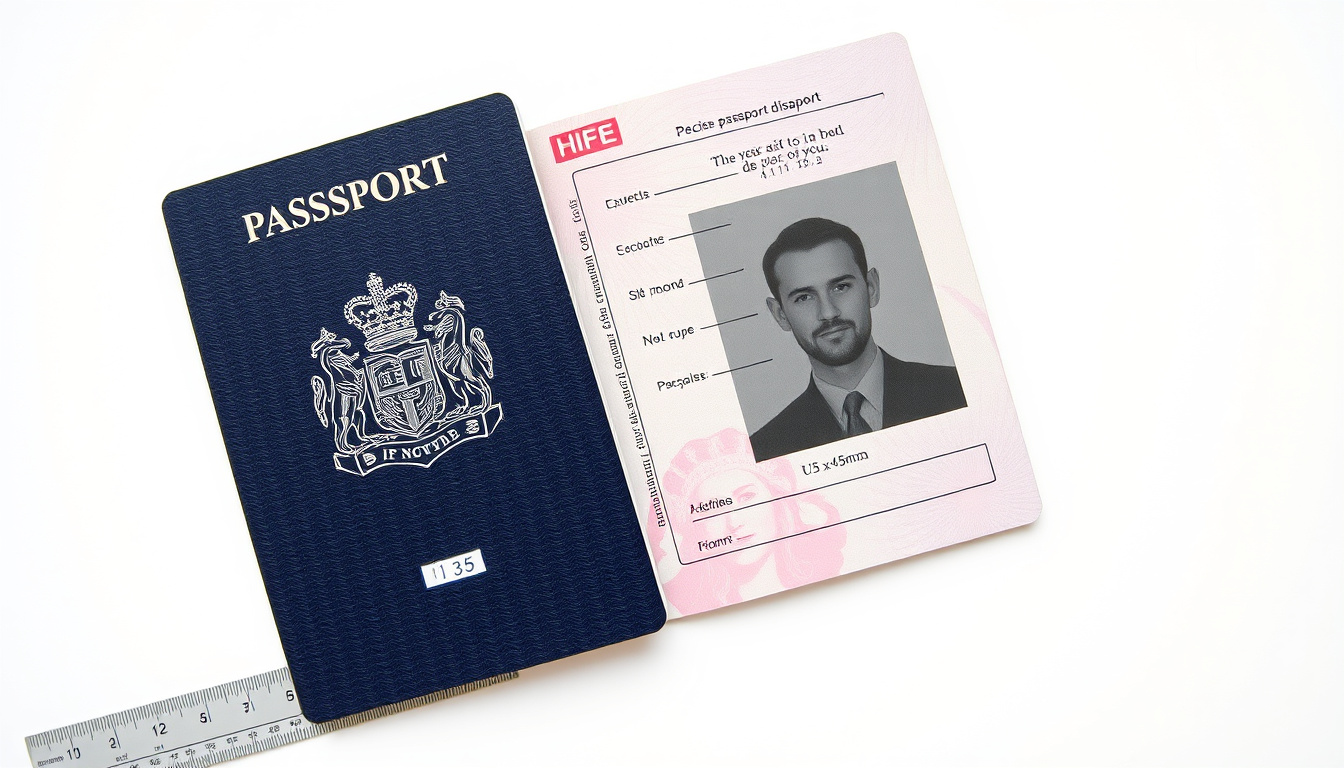
Obtaining a UK passport requires careful attention to photograph specifications. The rules cover dimensions, facial expression, background colour, and digital file requirements. Failing to meet these standards commonly results in application delays or outright rejection. This guide sets out exactly what HM Passport Office expects from every submitted image.
The requirements apply equally to first-time applicants, renewals, and child passports. Whether using a professional booth, a digital upload service, or taking the photo yourself, the same technical criteria must be satisfied. Understanding these specifications before booking a photo session prevents the inconvenience of having to start again.
What Size and Dimensions Are Required for UK Passport Photos?
Printed UK passport photographs must measure exactly 45 millimetres in height by 35 millimetres in width. This is not a suggestion or approximate range—every submitted print must meet these precise measurements. UK photo booths produce this standard size automatically, which is why many applicants use them. Cutting photos from larger prints commonly leads to rejection.
45mm × 35mm
29–34mm crown to chin
Plain cream or light grey
Neutral, mouth closed
Head Size and Framing Requirements
The head must measure between 29 and 34 millimetres from the top of the crown to the bottom of the chin. This measurement accounts for the majority of rejections because many amateur photos position the head too small within the frame. The head and upper shoulders should occupy 70 to 80 percent of the total photograph area.
Digital Photo Specifications
Digital submissions require a minimum resolution of 600 pixels wide by 750 pixels tall. The file must be saved in JPEG format, though some online application portals also accept PNG. File size must fall between 50 kilobytes and 10 megabytes. These digital requirements ensure the image remains sufficiently detailed when processed through biometric systems.
- Printed photos must not be cut from larger images
- Digital files must not exceed 10MB or fall below 50KB
- Head measurement takes priority over overall print size
- Professional booths guarantee compliant dimensions automatically
- Self-printed photos require precise paper cutting to 45×35mm
- Pixel dimensions matter more than printed size for digital uploads
- Inconsistent sizing is among the most common rejection causes
| Specification | Requirement |
|---|---|
| Printed Dimensions | 45mm wide × 35mm high |
| Head Height | 29mm to 34mm (crown to chin) |
| Frame Coverage | Head and shoulders 70–80% of photo |
| Digital Resolution | Minimum 600 × 750 pixels |
| File Format | JPEG (or PNG for some online portals) |
| File Size | 50KB minimum, 10MB maximum |
What Facial Expression, Pose, and Quality Rules Apply?
A neutral facial expression is mandatory for all UK passport photographs. The mouth must be closed with no indication of a smile, and both eyes must be open and clearly visible. The face must be positioned directly facing the camera with no tilting or rotation. These requirements exist because passport photo facial recognition systems need consistent reference points across all images.
Pose and Positioning
Applicants must appear with their full head visible and the top of their shoulders included in the frame. Hair must not fall across the eyes, and the face should display a natural, relaxed posture. Head tilts, angles, or rotated positions create problems for the automated comparison systems used during passport processing.
Photo Quality Standards
All submitted images must be sharp, clear, and in full colour. Digital photos must not undergo any editing adjustments, including filters, red-eye correction, or brightness alterations. Any indication that an image has been digitally modified leads to immediate rejection. The photograph must be printed on high-quality paper without creases, damage, or evidence of scanning from printed sources.
A neutral expression means a relaxed, natural face—not a forced blank stare. Think about how you would look in a professional identity document. The mouth is closed but the jaw is not clenched.
What Background and Photo Quality Standards Must Be Met?
The photograph background must be plain cream or light grey with no patterns, textures, objects, or shadows visible. A high-contrast separation between the face and the background is essential, which is why white or very pale backgrounds are generally unsuitable. Shadows behind the head or shoulders automatically disqualify a submission.
Background Colour Specifications
Acceptable background colours are limited to plain cream or light grey tones. Dark coloured backgrounds, patterned walls, brick surfaces, and any backdrop containing objects or other people will result in rejection. The background must be smooth and uniform across the entire photograph area with no gradation or lighting variation.
Ensuring Proper Contrast
Maximum contrast between the face and the background helps the biometric systems used during passport processing. Dark hair against a very dark grey background creates insufficient separation, just as a pale face against a white wall would. The ideal scenario places the subject clearly apart from the backdrop with no confusing edges or merged tones.
Are Glasses, Hats, or Other Accessories Allowed?
Glasses are only permitted in UK passport photographs if worn daily for medical reasons. In these cases, the eyes must remain fully visible through the lenses with no glare or reflections obscuring them. Applicants who do not require glasses for medical purposes must remove them before the photograph is taken. Reflections on lens surfaces block the visibility of eyes, which is a fundamental requirement.
Head Coverings and Religious Dress
Hats and head coverings are not normally permitted in passport photographs. Exceptions exist for individuals who wear head coverings for genuine religious beliefs or documented medical reasons, though the face must still be fully visible from crown to chin. Medical exemptions require supporting documentation in most cases.
Makeup and Jewellery
Light makeup is acceptable provided it does not obscure facial features. Jewellery may be worn but must not create shadows across the face or obscure any required viewing areas. Items covering the face or creating ambiguity about appearance will be flagged during processing.
If you regularly wear an accessory for medical or religious reasons, include it. If it is optional or cosmetic, remove it before the photograph. The goal is an unchanging, recognisable identity document.
How Recent Must the Photo Be and What Are Digital Submission Rules?
All passport photographs must be taken within the last month, regardless of whether the applicant’s appearance has changed. Even for straightforward renewals where nothing has altered, an outdated photograph will be rejected. This requirement ensures that the passport holder’s identity document accurately reflects their current appearance.
Digital Upload Requirements
When applying online, digital photographs must be uploaded directly through the official portal without intermediate compression or format conversion. The uploaded file must resemble the applicant’s current appearance exactly. Edited, filtered, or digitally enhanced images submitted through online applications are automatically detected and rejected by the processing system.
Paper Form Submissions
Paper application forms require two identical printed photographs. One is attached to the form while the second is retained separately for the application’s internal processing. Both prints must come from the same session and meet all specification requirements simultaneously.
Using a photograph older than one month is one of the most avoidable reasons for application delays. Even if appearance seems unchanged, the submission will be rejected and the process restarted with a new photo.
Where Can I Get Compliant UK Passport Photos Taken?
Professional photo booths in Post Office branches produce compliant 45 by 35 millimetre prints automatically. These booths are calibrated to meet current HM Passport Office specifications, making them the most reliable option for printed photographs. Post Office staff can also advise on common rejection reasons and verify basic compliance before submission.
High Street and Retail Options
Many high street retailers, pharmacies, and dedicated photo studios offer passport photography services. These establishments typically use equipment that meets official dimensions, though standards vary. Asking staff to confirm the output meets UK passport requirements before payment provides a quick compliance check.
Taking Your Own Photograph
Self-service photographs remain possible but require careful attention to specifications. A plain cream or light grey wall provides the correct background, while proper lighting eliminates shadows. Standing at the correct distance from the camera and ensuring the head fills 70 to 80 percent of the frame addresses the sizing requirements. Professional editing software should be avoided entirely—only basic cropping and resizing are acceptable.
Digital Apps and Online Services
Various smartphone applications and online services allow users to photograph themselves and receive compliant digital files or prints. These tools guide users through positioning and lighting requirements but still require human judgment about expression and pose. Using a reputable service with verified compliance history reduces rejection risk.
UK Passport Photo Requirements: Timeline and Development
UK passport photography standards have remained substantially consistent following the 2014 introduction of digital photo requirements. The shift to biometric passports in the early 2000s prompted standardisation of dimensions and format, with subsequent refinements focusing on expression guidelines and digital upload specifications.
- 2000s: Biometric passports introduced, standardising basic dimensions and quality requirements
- 2014: Digital photo submissions formally integrated into standard application process
- 2020: Expression and pose requirements clarified amid increased facial recognition accuracy
- 2025: Current rules remain stable with no announced changes to specifications
Understanding the Rules: What Is Certain and What Remains Unclear
The core specifications for UK passport photographs are fully established and published by HM Passport Office through GOV.UK. All dimensional requirements, expression rules, and background specifications carry complete certainty because they derive from official government guidance.
Established information
- 45mm × 35mm printed dimensions
- 29–34mm head height measurement
- Plain cream or light grey background requirement
- Neutral expression, mouth closed, eyes open
- One-month maximum photo age
- Glasses permitted only with medical justification
- No filters or digital editing permitted
Less clearly defined areas
- Specific tolerance ranges at boundary dimensions
- Exact enforcement severity at processing offices
- Individual officer discretion in borderline cases
- Precise requirements for disability accommodations
- Acceptable lighting intensity and direction
Why Are These Requirements So Strict?
UK passport photographs are processed through automated facial recognition systems that compare submitted images against stored biometric data. These systems rely on consistent positioning, lighting, and expression to establish reliable identity matches. Inconsistent photographs compromise the security architecture designed into modern biometric passports.
International Civil Aviation Organisation (ICAO) standards govern passport photograph specifications globally, and the UK has adopted these requirements directly. This standardisation enables passport readers worldwide to process UK travel documents reliably. Deviations from specification create verification failures that trigger manual review and potentially delay or prevent international travel.
Official HM Passport Office guidance states that photographs must meet all specified criteria or the application will be delayed or rejected. The standards exist to ensure biometric accuracy and prevent identity fraud.
Summary and Next Steps
UK passport photo requirements cover specific dimensions, neutral expressions, plain backgrounds, and recent capture within one month. Printed photos must measure exactly 45 by 35 millimetres with head height between 29 and 34 millimetres. Digital submissions require minimum 600 by 750 pixel resolution in JPEG format between 50KB and 10MB. Glasses are permitted only with medical justification, and head coverings require religious or medical exemption with full facial visibility maintained.
Professional photo booths remain the most reliable method for obtaining compliant images. Self-taken photographs require careful attention to all specifications but are achievable with appropriate preparation. Understanding these requirements before booking a photo session prevents application delays and ensures the passport process proceeds smoothly.
Frequently Asked Questions
Do babies and children have different passport photo requirements?
No separate rules exist for infants or children. All applicants must meet identical specifications for dimensions, expression, and background. Babies may need to be held or positioned carefully to achieve the correct head size and neutral expression.
What are the most common reasons UK passport photos are rejected?
Incorrect dimensions, smiling or inappropriate expressions, wrong background colours, shadows on the face, glasses with reflections, and photographs older than one month account for the majority of rejections.
Can I smile slightly in a UK passport photo?
No. The mouth must be closed with no visible smile. A neutral expression is required, meaning the face should appear natural and relaxed rather than displaying any positive emotional indication.
What happens if my passport photo is rejected?
The application process halts until a compliant photograph is provided. This typically adds weeks to processing time. Applicants receive notification specifying the rejection reason and must resubmit with corrected materials.
Can I use a selfie for my UK passport photo?
Selfies are generally unsuitable unless taken using a professional-compliant app or service. Self-taken photographs using standard smartphone cameras frequently fail to meet quality, positioning, and background requirements.
How do I find a compliant photo booth near me?
Post Office branches across the UK contain calibrated photo booths producing compliant 45 by 35 millimetre prints. Many pharmacies and high street photo retailers also offer verified passport photography services.
Do digital passport photos need to be in colour?
Yes. All submitted passport photographs must be in full colour. Black and white or sepia images are not accepted under any circumstances, regardless of the application method.
What background colour works best for UK passport photos?
Plain cream or light grey are the only accepted background colours. These provide sufficient contrast against the majority of skin tones while remaining neutral enough to avoid creating ambiguous edges around the face.
Sophie Kendall is Tools & Digital Culture Correspondent at WordPatch.co.uk, covering writing tools, productivity software, AI writing platforms, digital publishing and online communication trends.